

In today’s homes, technology is everywhere. Kitchens are no exception. Many people use smart devices to make cooking easier. But there are two main types of smart kitchen tools. These are smart kitchen hubs and standalone devices. Understanding how they differ helps you choose the right one for your kitchen.
What Is a Smart Kitchen Hub?
A smart kitchen hub is a device that connects many kitchen tools. It acts like a central control system. You can use it to manage different smart devices in your kitchen. Examples include smart ovens, fridges, and coffee makers. The hub helps these devices work together smoothly.
Think of a smart kitchen hub as the “brain” of your kitchen. It listens to your voice or commands. Then, it tells the other devices what to do.
What Are Standalone Devices?
Standalone devices are smart kitchen gadgets. But they work alone. They do not need a hub to function. Each device has its own controls and features. You can use them without linking to other devices.
Examples of standalone devices are a smart toaster or a smart blender. They connect to your phone or work by themselves. You can control them easily with a few taps or buttons.

Credit: www.amazon.com
How Are Smart Kitchen Hubs and Standalone Devices Different?
Now, let’s look at the main differences between these two types of devices. We will check how they work, their features, and how easy they are to use.
1. Connection And Control
Smart Kitchen Hubs: These devices connect many smart tools in your kitchen. They allow you to control all devices from one place. Usually, you use voice commands or an app on your phone. The hub sends instructions to each device. For example, you can tell the hub to preheat the oven and start the coffee maker at the same time.
Standalone Devices: These work on their own. They do not connect to other devices. You control each device separately. You might use buttons on the device or an app just for that device. For instance, you press a button on a smart microwave to heat food. It does not talk to other kitchen tools.
2. Ease Of Use
Smart Kitchen Hubs: They are easy to use once set up. You give one command, and many devices respond. This saves time in busy kitchens. But setting up a hub and connecting devices can be tricky at first.
Standalone Devices: These are simple to use. Just turn them on and use. No need to connect many devices. This is good for people who want quick and easy gadgets.
3. Cost
Smart Kitchen Hubs: Usually, hubs are more expensive. You pay for the central device and the smart appliances it controls. But this can be cheaper than buying many smart devices separately.
Standalone Devices: These devices can be less costly. You buy only what you need. No extra cost for a hub. But if you want many devices, the total cost might be higher.
4. Flexibility
Smart Kitchen Hubs: They offer more flexibility. You can add or remove devices easily. The hub manages all devices well. It can create smart routines. For example, it can start the oven, turn on lights, and play music all at once.
Standalone Devices: They are less flexible. Each device works alone. You cannot set a routine that controls many devices. You must operate each device separately.
5. Compatibility
Smart Kitchen Hubs: Compatibility is important. Not all devices work with every hub. You must check if your smart devices fit your hub. Some hubs support many brands, others only a few.
Standalone Devices: These devices do not depend on other brands. They work by themselves. This means fewer worries about compatibility.
6. Space And Design
Smart Kitchen Hubs: You need space for the hub device. It may be larger than other gadgets. But it helps keep your kitchen organized by reducing many controls.
Standalone Devices: These devices take up space individually. You might have many small devices on your counter. This can make the kitchen look busy or cluttered.
Credit: www.nbcnews.com
Table: Comparing Smart Kitchen Hubs and Standalone Devices
| Feature | Smart Kitchen Hubs | Standalone Devices |
|---|---|---|
| Connection | Connect multiple devices through one hub | Work independently without connection |
| Control | One control point (app or voice) | Individual control for each device |
| Ease of Use | Easy after setup, but setup can be hard | Simple to use immediately |
| Cost | Higher initial cost but can save money | Lower cost per device |
| Flexibility | High, can add or remove devices easily | Low, devices work alone |
| Compatibility | Needs compatible devices | Works alone, no compatibility needed |
| Space | One device, less clutter | Many devices, more space used |
Which One Should You Choose?
Choosing between a smart kitchen hub and standalone devices depends on your needs.
Choose A Smart Kitchen Hub If:
- You want to control many devices from one place.
- You like using voice commands or smart routines.
- You want to save time by automating tasks.
- You are ready to spend time setting up your devices.
Choose Standalone Devices If:
- You want simple gadgets that work right away.
- You do not need to connect many devices.
- You prefer to control each device separately.
- You want to keep costs low for now.
Examples of Smart Kitchen Hubs and Standalone Devices
Let’s look at some examples to understand better.
Smart Kitchen Hubs
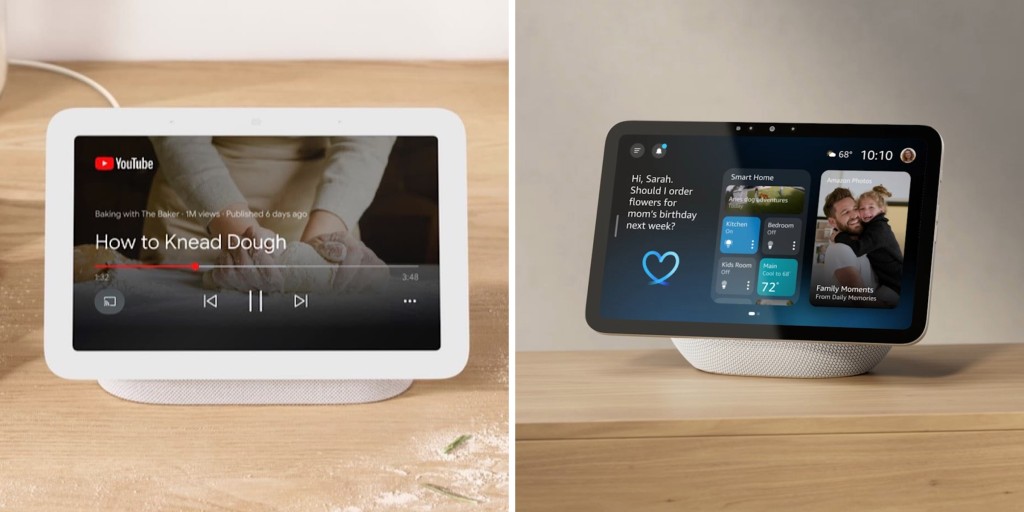
- Amazon Echo Show: A screen with voice assistant. It controls many smart kitchen devices.
- Google Nest Hub: Works with Google Assistant. It connects to ovens, lights, and more.
- Samsung SmartThings Hub: Controls many smart home products including kitchen gadgets.
Standalone Devices
- Smart Coffee Maker: Brew coffee with an app or button.
- Smart Toaster: Toast bread with preset options.
- Smart Slow Cooker: Cook meals with timer and temperature control.
Final Thoughts
Smart kitchen hubs and standalone devices both bring benefits. Hubs make managing many devices easier. Standalone devices offer simplicity and quick use. Think about your kitchen and habits. Then, choose the option that fits best.
Technology in the kitchen is here to help. Whether you pick a hub or standalone device, you will enjoy easier cooking and better time management.
Frequently Asked Questions
What Is A Smart Kitchen Hub?
A smart kitchen hub connects multiple kitchen devices. It controls and manages them from one screen. This helps simplify cooking tasks.
How Do Standalone Kitchen Devices Work?
Standalone devices perform specific tasks independently. They do not connect to other gadgets. Examples include smart ovens or smart coffee makers.
Can Smart Kitchen Hubs Control Standalone Devices?
Yes, most smart kitchen hubs can link with standalone devices. This allows centralized control from one hub. It improves kitchen efficiency.
Are Smart Kitchen Hubs Easy To Install?
Smart kitchen hubs usually require simple setup. They connect to Wi-Fi and pair with devices. Installation takes less than an hour.