

Keeping your home safe is important. A smart home security system helps protect your house. It can watch your home and alert you if something is wrong. This guide will help beginners set up a smart home security system. You will learn step by step how to do it easily.
What Is a Smart Home Security System?
A smart home security system uses technology to protect your home. It connects to the internet. You can control it from your phone or tablet. The system has many parts like cameras, sensors, and alarms. These parts work together to keep your home safe.
Why Choose a Smart Security System?
- You can watch your home anytime, anywhere.
- It sends alerts if it finds danger.
- You can control it with simple apps.
- It can scare away thieves with alarms.
- It helps you feel safe and calm.
Basic Parts of a Smart Home Security System
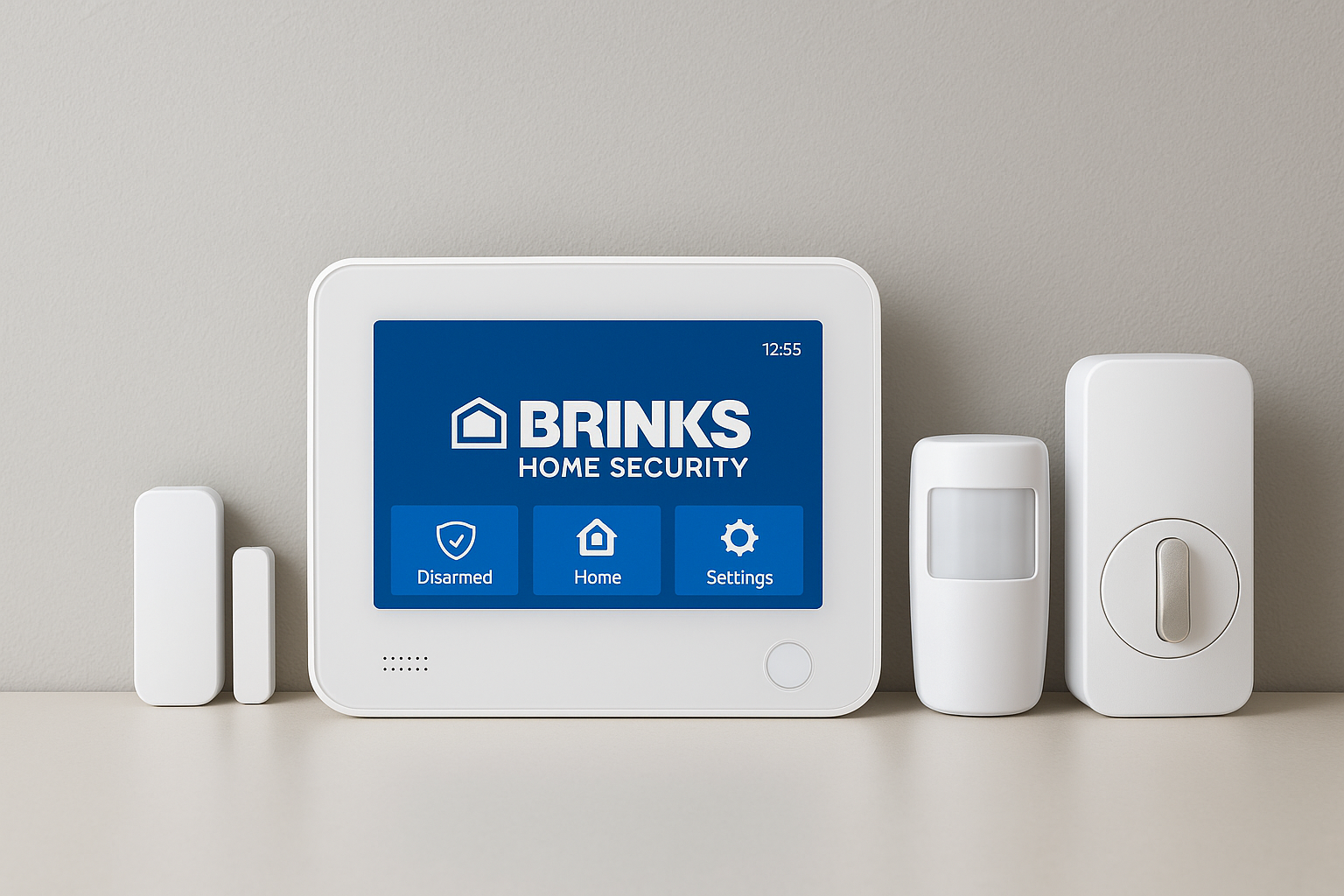
Before setting up, know the main parts you need:
| Part | Purpose |
|---|---|
| Security Cameras | Watch your home and record videos |
| Motion Sensors | Detect movement inside or outside |
| Door and Window Sensors | Alert when doors or windows open |
| Alarm Siren | Make loud noise to scare intruders |
| Control Hub | Connect and manage all devices |
| Mobile App | Control and receive alerts on phone |
Credit: jnadealerprogram.com
Step 1: Plan Your Security System
Start by thinking about your home. Where do you want to place cameras? Which doors and windows need sensors? Think about places that are easy to enter. You want to cover all main points.
Make a list of these places. Also, decide if you want indoor cameras, outdoor cameras, or both. Outdoor cameras should be weatherproof. Indoor cameras watch inside rooms and halls.
Step 2: Choose Your Devices
Now, pick the devices that fit your needs. You can buy a full kit or separate parts. Kits are easier for beginners. They come with everything you need.
Look for devices that are easy to install. Wireless devices are good because you do not need wires. Check if the devices work with your phone. Most systems use apps for control.
Step 3: Set Up the Control Hub
The control hub is the brain of your system. It connects all devices to the internet. Usually, it comes with the security kit.
Find a good place for the control hub. It should be near your Wi-Fi router. Plug it into power and your router if needed. Follow the instructions in the manual carefully.
Step 4: Install Cameras
Install cameras in the places you planned. Use screws or mounts that come with the camera. Place cameras high enough so people cannot easily reach them.
Point cameras at main doors, windows, and yards. Make sure cameras do not have obstacles blocking their view. Check the camera view on your phone app to adjust angles.
Step 5: Install Sensors on Doors and Windows
Door and window sensors are small. They have two parts: one on the door and one on the frame. When the door opens, the sensor sends an alert.
Stick or screw the sensors in place. Follow the instructions to connect them to the control hub. Test the sensors by opening and closing the door or window.
Step 6: Set Up Motion Sensors
Motion sensors detect moving people or animals. Place them in hallways or rooms with windows.
Mount the sensors on walls or corners. Usually, they should be about 6 to 8 feet above the floor. Avoid pointing sensors at pets or heaters to reduce false alarms.
Step 7: Connect Your System to Wi-Fi
Most smart security systems use Wi-Fi. Connect your control hub and devices to your home Wi-Fi network. This lets you get alerts and watch cameras on your phone.
Make sure your Wi-Fi is strong where you place devices. Weak Wi-Fi can cause delays or lost signals.
Step 8: Download and Use the Mobile App
The mobile app helps you control the system. Download it from your app store. Create an account if needed.
Follow the app guide to add your devices. You can see live camera views, check sensor status, and get alerts. Try using the app to arm and disarm the system.
Step 9: Test Your System
Testing is very important. Try opening doors and windows to see if sensors alert you. Walk in front of motion sensors to check if they detect you.
Check camera views and sound the alarm to make sure everything works. Fix any problems before you rely on the system.

Credit: www.amazon.com
Tips for a Better Smart Home Security System
- Use strong passwords for your system and Wi-Fi.
- Keep the app and devices updated.
- Place cameras in visible spots to deter thieves.
- Don’t place sensors where pets can trigger them.
- Regularly check battery levels if devices are wireless.
- Inform family members how to use the system.
- Consider adding smart locks for doors.
- Use bright outdoor lights with motion sensors.
Common Challenges and How to Solve Them
Sometimes, beginners face problems. Here are common issues and easy fixes:
| Problem | Solution |
|---|---|
| Devices not connecting to Wi-Fi | Move devices closer to the router or use Wi-Fi extender. |
| App not showing camera view | Restart app and check internet connection. |
| False alarms from motion sensors | Adjust sensor angle or avoid pointing at pets. |
| Battery runs out quickly | Use new batteries and check for device updates. |
| Alarm does not sound | Check alarm power and settings in the app. |
Frequently Asked Questions
What Is A Smart Home Security System?
A smart home security system uses internet-connected devices to protect your home. It includes cameras, sensors, and alarms you can control remotely.
How Do I Start Setting Up A Smart Security System?
Begin by choosing devices that fit your home and needs. Follow the manufacturer’s guide for easy installation and app setup.
Can Smart Security Systems Work Without Internet?
Some features work without internet, like local alarms. But remote control and notifications need a stable internet connection.
What Devices Are Essential For Home Security?
Cameras, motion sensors, door/window sensors, and alarms are key. Smart locks add extra protection by controlling access remotely.
Conclusion
Setting up a smart home security system is easy. Just follow the steps one by one. Plan your system, choose the right devices, and install carefully. Use the app to control and watch your home. Test everything well to be sure it works.
With a smart security system, you can feel safer. You can watch your home from anywhere. Remember to keep your system updated and secure. This helps protect your family and belongings well.
Now, you are ready to start. Take your time, and you will do great!