

Smart kitchen devices are becoming popular in many homes. But many people do not know how these devices connect and work together. This article will explain smart kitchen device connectivity in simple words. You will learn how these devices talk to each other and to you.
What Are Smart Kitchen Devices?
Smart kitchen devices are tools or machines in the kitchen that use the internet or other technology. They can do tasks automatically or with little help from you. Examples include smart fridges, ovens, coffee makers, and dishwashers.
These devices can make cooking easier and faster. Some can even help save energy or reduce food waste.
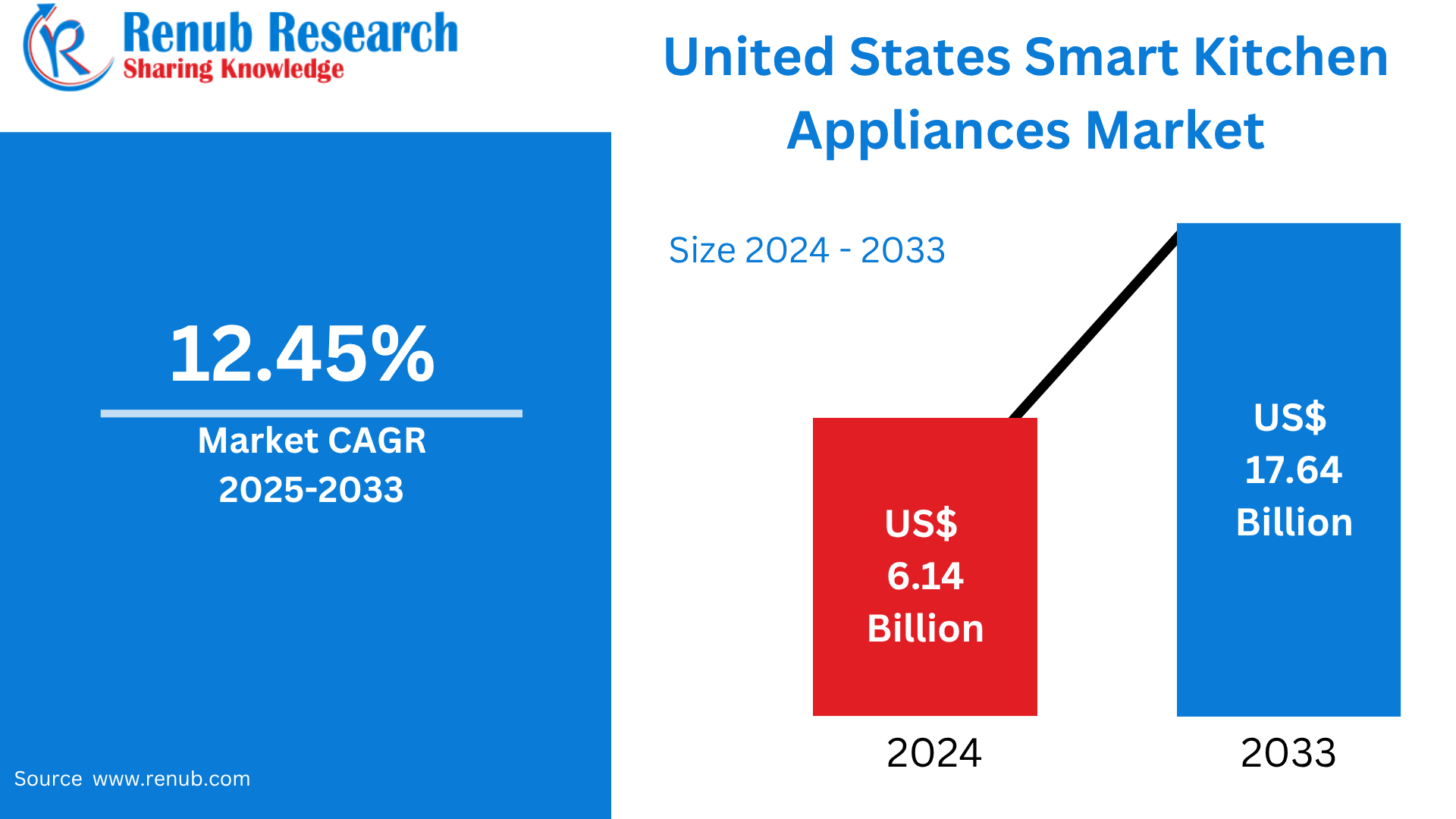
Credit: www.renub.com
Why Connect Smart Kitchen Devices?
When smart kitchen devices connect, they work better. You can control many devices from one place, like a phone or tablet. For example, you can start the oven while sitting on your sofa. Or check the fridge temperature from your office.
Connected devices can also share information. A smart fridge can tell the smart oven what food is inside. Then, the oven can suggest recipes based on what you have.

Credit: www.amazon.com
How Do Smart Kitchen Devices Connect?
Smart kitchen devices connect mainly in these ways:
- Wi-Fi
- Bluetooth
- Zigbee and Z-Wave
- Smart Hubs
Wi-fi Connection
Wi-Fi is the most common way smart devices connect. Most homes have Wi-Fi internet. Smart kitchen devices connect to your home Wi-Fi network.
This lets you control devices from anywhere using your phone. For example, you can check your smart oven’s status while at work.
Wi-Fi allows devices to send and receive lots of data quickly. But it uses more power than other connections.
Bluetooth Connection
Bluetooth is a short-range connection. Devices connect directly without internet. It is good for small data transfers.
For example, a smart thermometer might connect to your phone via Bluetooth. You can see the food temperature in real time.
Bluetooth uses less power but works only close to your phone or tablet.
Zigbee And Z-wave Connections
Zigbee and Z-Wave are special wireless ways to connect smart devices. They use less power and work over medium distances.
These connections create a network where devices talk to each other. This is called a mesh network.
In a mesh network, devices pass messages along to reach others far away. This helps devices work even if some are far from the main controller.
Smart Hubs
A smart hub is a device that controls many smart kitchen devices. It connects different devices, even if they use different technologies.
For example, a smart hub can connect your smart oven (Wi-Fi) and your smart light (Zigbee). You control both from one app.
Hubs make managing many devices easier. They also help devices work well together.
How Do You Control Smart Kitchen Devices?
You can control smart kitchen devices in different ways:
- Smartphone Apps
- Voice Assistants
- Touch Screens
Smartphone Apps
Most smart kitchen devices have their own app. You download the app on your phone or tablet. The app lets you turn devices on or off, set timers, or check status.
Some apps let you control many devices in one place. This is helpful when you have devices from different brands.
Voice Assistants
Voice assistants like Alexa, Google Assistant, or Siri can control your smart kitchen devices. You just say simple commands like, “Turn on the oven.”
This is useful when your hands are busy or dirty.
Touch Screens
Some smart kitchen devices have touch screens on them. You can use the screen to control settings or see information.
For example, a smart fridge may show the weather or your calendar on its screen.
What Are the Benefits of Smart Kitchen Device Connectivity?
Connected smart kitchen devices offer many benefits:
- Convenience: Control devices from anywhere.
- Time-saving: Start cooking before you get home.
- Energy saving: Devices can work only when needed.
- Better cooking: Devices give precise control and advice.
- Safety: Get alerts if something is wrong.
Simple Example of Smart Kitchen Device Connectivity
Let’s look at an example to understand connectivity better:
| Device | Connection Type | Function | How It Connects |
|---|---|---|---|
| Smart Refrigerator | Wi-Fi | Tracks food and temperature | Connects to home Wi-Fi and app |
| Smart Oven | Wi-Fi | Preheats and cooks food remotely | Controlled by app or voice |
| Smart Thermometer | Bluetooth | Monitors food temperature | Connects to phone nearby |
| Smart Light | Zigbee | Adjusts kitchen lighting | Controlled by smart hub |
| Smart Hub | Wi-Fi / Zigbee | Controls all devices from one app | Connects all devices together |
What Do You Need to Start Using Smart Kitchen Devices?
Here are some simple steps to start using smart kitchen devices:
- Have a good Wi-Fi connection at home.
- Buy smart kitchen devices that fit your needs.
- Download the apps for each device.
- Connect devices to Wi-Fi or hubs following instructions.
- Try controlling them from your phone or voice assistant.
Important Things to Remember
- Not all smart devices work with each other.
- Check if devices use the same connection type.
- Secure your Wi-Fi network to protect your devices.
- Update device software regularly for best performance.
- Some devices need a smart hub to connect well.
Frequently Asked Questions
What Is Smart Kitchen Device Connectivity?
Smart kitchen device connectivity means linking your gadgets to the internet or each other. This helps devices share data and work together automatically.
How Do Smart Kitchen Devices Connect To Wi-fi?
Most smart kitchen gadgets use Wi-Fi to connect. You just need to enter your Wi-Fi password in the device app.
Can Smart Kitchen Devices Work Without Internet?
Some devices can work locally without internet. But many features like remote control need an internet connection.
What Are The Common Connection Types In Smart Kitchens?
Wi-Fi, Bluetooth, and Zigbee are common ways to connect smart kitchen devices. Each has different range and speed.
Conclusion
Smart kitchen device connectivity means devices talk and work together. They connect using Wi-Fi, Bluetooth, Zigbee, or smart hubs. This makes cooking easier and your kitchen smarter.
You can control devices by phone apps, voice commands, or touch screens. Connected devices save time, energy, and help you cook better.
With simple steps and a good internet connection, anyone can start using smart kitchen devices today.