

Smart kitchen devices make cooking easier and fun. But sometimes, these devices take too long to respond. This delay is called latency. Latency can be a big problem in smart kitchens. It can slow down your cooking and cause frustration. In this article, we will talk about what causes latency in smart kitchen devices. Then, we will share easy solutions to fix it.
What Is Latency in Smart Kitchen Devices?
Latency means a delay between your command and the device’s action. For example, if you tell a smart oven to preheat, latency is the wait time before it starts heating. Too much latency makes the device feel slow and unhelpful.
Smart kitchen devices use the internet or home networks to work. They listen to your voice or respond to your phone. If the connection is slow, latency happens. Also, the device’s own speed can cause delays.
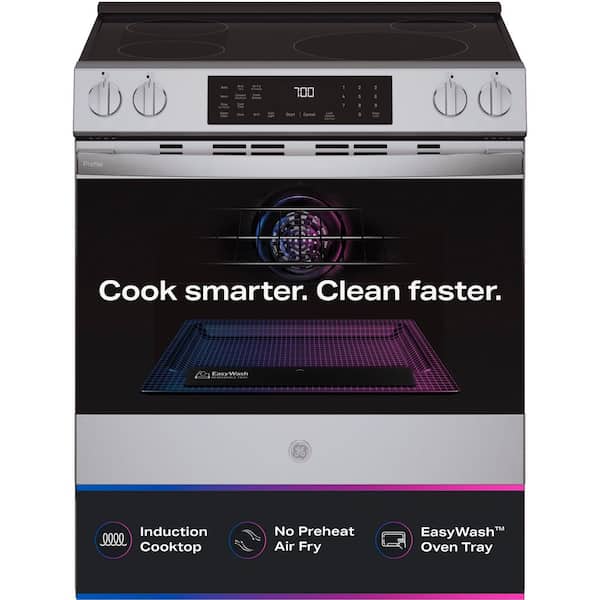
Credit: www.homedepot.com
Common Causes of Latency in Smart Kitchen Devices
Here are some main reasons why smart kitchen devices have latency:
| Cause | Explanation |
|---|---|
| Slow Internet Connection | Smart devices need good internet. Slow internet causes delays in commands. |
| Weak Wi-Fi Signal | Devices far from the router get weak signals. This slows their response. |
| Network Congestion | Many devices using Wi-Fi at once can cause traffic. This leads to latency. |
| Old Device Software | Outdated software can slow down devices. It may cause bugs and delays. |
| Hardware Limitations | Some devices have slow processors. They take longer to process commands. |
| Cloud Server Delays | Many smart devices rely on cloud servers. If servers are slow, devices lag. |
| Bluetooth or Zigbee Issues | Some devices use Bluetooth or Zigbee. These can have interference and delays. |
Detailed Look at Each Cause
1. Slow Internet Connection
Internet speed is very important. Smart kitchen devices need to send and receive data fast. If your internet is slow, commands take longer to reach the device. This causes latency.
2. Weak Wi-fi Signal
If your device is too far from the Wi-Fi router, the signal gets weak. Walls and furniture can block Wi-Fi signals. A weak signal means the device must try harder to get commands. This slows it down.
3. Network Congestion
When many devices use Wi-Fi at the same time, the network gets crowded. This is called congestion. It slows down all devices, including your smart kitchen tools. The more devices connected, the slower the network.
4. Old Device Software
Smart devices run on software. If the software is old, it may not work well. Old software can have bugs that cause slow responses. Updating software can fix these problems.
5. Hardware Limitations
Not all smart devices have strong hardware. Some have slow processors and little memory. These devices take longer to process your commands. This makes them feel slow or unresponsive.
6. Cloud Server Delays
Many smart kitchen devices send data to cloud servers. These servers process commands and send back instructions. If the cloud server is busy or slow, your device will delay. This is outside your home’s control.
7. Bluetooth Or Zigbee Issues
Some smart kitchen tools use Bluetooth or Zigbee to connect. These are wireless signals. They can face interference from other devices or walls. This interference causes delays in communication.
Solutions to Reduce Latency in Smart Kitchen Devices
Latency can be frustrating. But there are many simple ways to fix it. Here are some solutions you can try:
- Improve Your Internet Speed: Contact your internet provider to get faster internet. A good speed helps smart devices work better.
- Place Router Near Devices: Keep your Wi-Fi router close to smart kitchen devices. This gives a strong signal and reduces delays.
- Use Wi-Fi Extenders: If the kitchen is far from the router, use extenders. They boost Wi-Fi signals to distant rooms.
- Limit Devices on Network: Turn off devices not in use. Fewer devices on Wi-Fi mean less congestion and faster response.
- Update Device Software: Regularly check for software updates. Updates fix bugs and improve speed.
- Restart Devices and Router: Sometimes, simply restarting devices and router helps clear delays.
- Use Wired Connections if Possible: Some devices support wired connections. Wired is faster and more stable than Wi-Fi.
- Check for Interference: Keep Bluetooth or Zigbee devices away from microwaves or cordless phones. These cause signal problems.
- Choose Devices with Good Hardware: When buying new devices, pick those with better processors and memory.
- Use Local Processing Devices: Devices that work without cloud servers reduce latency. Check if your device can work offline.
How to Test Latency in Your Smart Kitchen Devices
You can check how slow your device responds. Follow these steps:
- Give a simple command to your device.
- Use a stopwatch to measure how long it takes to respond.
- Repeat the test several times for accuracy.
- Try the test in different parts of your kitchen.
- Compare times before and after applying solutions.
This helps you see if your fixes work well.

Credit: www.amazon.com
Why Fixing Latency Matters
Smart kitchen devices are made to save time and effort. Latency makes them slow and annoying. Fixing latency helps your devices respond quickly. This makes cooking easier and safer.
Fast smart devices can:
- Start cooking on time
- Adjust temperature quickly
- Give faster voice responses
- Help avoid mistakes
- Make kitchen work more fun
Summary Table: Causes and Solutions
| Cause | Solution |
|---|---|
| Slow Internet | Upgrade your internet speed |
| Weak Wi-Fi Signal | Move router closer or use extenders |
| Network Congestion | Limit devices on your network |
| Old Software | Update device firmware regularly |
| Hardware Limits | Choose devices with better specs |
| Cloud Server Delays | Use devices with local processing |
| Bluetooth or Zigbee Issues | Avoid interference and keep devices apart |
Final Thoughts
Latency in smart kitchen devices is common. But it is not hard to fix. Understanding the causes helps you find the right solution. Simple steps like improving Wi-Fi or updating software can help a lot.
Take time to check your smart devices. Fix latency issues early. This will make your smart kitchen faster and more enjoyable. Cooking will be easier and less stressful with quick device responses.
Frequently Asked Questions
What Causes Latency In Smart Kitchen Devices?
Latency in smart kitchen devices is mainly caused by slow Wi-Fi, device processing delays, and network traffic. Firmware issues and outdated hardware can also add to the delay.
How Does Wi-fi Affect Smart Kitchen Device Speed?
Wi-Fi speed directly impacts how fast smart kitchen devices respond. Weak or unstable Wi-Fi signals cause slow or delayed actions.
Can Software Updates Reduce Smart Device Latency?
Yes, software updates often fix bugs and improve device performance. Keeping your smart kitchen devices updated can lower latency.
Does Device Placement Influence Smart Kitchen Latency?
Placing smart devices far from the router or behind thick walls can increase latency. Closer, open spaces usually offer better connection speeds.