

Smart homes are becoming more common today. Many people want to control lights, locks, and thermostats from one place. But to do this, you need special devices. Two popular devices are smart home hubs and bridges. Both help connect your devices, but they are not the same. This article will explain the differences between smart home hubs and bridges. It will help you understand which one you need.
What is a Smart Home Hub?
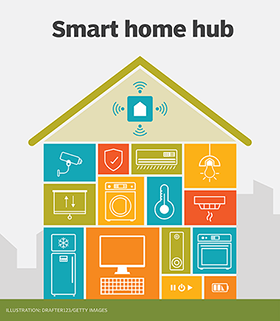
A smart home hub is a device that connects many smart devices in your house. It works like a brain for your smart home. It lets your devices talk to each other and work together. You can control your lights, cameras, locks, and more from one place. Usually, you use an app on your phone to control the hub.
Smart home hubs support many different types of devices. They often work with many brands and use different wireless signals. This makes them very flexible. Some popular smart home hubs include Samsung SmartThings and Hubitat.
Main Features Of Smart Home Hubs
- Connect many smart devices from different brands
- Control devices using one app or voice assistant
- Work with different wireless signals like Zigbee, Z-Wave, and Wi-Fi
- Allow automation and routines to make your home smarter
What is a Smart Home Bridge?
A smart home bridge is different from a hub. It connects devices that use one special type of signal. Many smart devices use a specific wireless technology, like Zigbee or Z-Wave. But they cannot connect directly to your Wi-Fi. So, they need a bridge to connect to your home network.
A bridge acts like a translator. It changes the signal from Zigbee or Z-Wave into Wi-Fi. This way, your phone or voice assistant can control the devices. The bridge usually works only with one brand or one type of device. For example, Philips Hue uses a bridge to connect its smart lights.
Main Features Of Smart Home Bridges
- Connect specific devices using one wireless protocol
- Translate signals to Wi-Fi for phone or voice control
- Usually work with one brand or type of device
- Simple to set up and use

Credit: www.amazon.com
Key Differences between Smart Home Hubs and Bridges
Now that you know what hubs and bridges are, let’s compare them. Here are the main differences:
| Feature | Smart Home Hub | Smart Home Bridge |
|---|---|---|
| Purpose | Connect many devices from different brands | Connect devices using one wireless protocol |
| Compatibility | Works with many brands and signals | Works with specific brand or device type |
| Wireless Protocols | Supports Zigbee, Z-Wave, Wi-Fi, and others | Supports only one protocol like Zigbee or Z-Wave |
| Control | Control many devices from one app or assistant | Control devices from one brand’s app |
| Automation | Can create complex automations and routines | Limited automation, mostly basic functions |
| Setup | More complex, but more powerful | Simple and quick to set up |
| Price | Usually more expensive | Usually less expensive |
Credit: www.techtarget.com
Why Do You Need a Smart Home Hub?
If you want to control many smart devices from different brands, a hub is best. It helps all your devices work together. You can create smart routines. For example, lights turn on when you enter the room. Or the thermostat lowers the temperature when no one is home.
A hub is useful if you want a full smart home system. It gives you more control and options. But it can cost more and take time to set up.
When Should You Use a Smart Home Bridge?
If you only have devices from one brand, a bridge is good. For example, if you have Philips Hue lights, you need their bridge. It connects the lights to your Wi-Fi network. The bridge makes it easy to control your devices with your phone or voice assistant.
A bridge is simple and cheaper. It works well if you want to add a few smart devices. But it does not support many brands or complex automation.
How Do Hubs and Bridges Work Together?
Sometimes, you can use both a hub and a bridge in your home. This can happen when you have different devices with different signals. The bridge connects one group of devices. The hub connects many devices and can link to the bridge.
This way, the hub can control devices connected to the bridge. It gives you more options and control. But it may take more effort to set up.
Examples of Popular Smart Home Hubs and Bridges
Here are some well-known devices you might hear about:
| Device | Type | Main Use |
|---|---|---|
| Samsung SmartThings Hub | Smart Home Hub | Connects many brands and devices |
| Hubitat Elevation | Smart Home Hub | Local control and automation |
| Philips Hue Bridge | Smart Home Bridge | Connects Philips Hue lights |
| Aqara Hub | Smart Home Bridge | Connects Aqara Zigbee devices |
Summary
Smart home hubs and bridges help control smart devices. But they do not do the same job. A hub connects many devices from different brands. It supports many wireless signals and allows complex control. A bridge connects devices using one wireless protocol. It is simple and works with specific brands.
Choose a smart home hub if you want many devices to work together. Choose a bridge if you only have devices from one brand. Sometimes, you might use both to get the best results.
Understanding these differences helps you build the smart home you want. It makes your home more comfortable and easy to control.
Frequently Asked Questions
What Is A Smart Home Hub?
A smart home hub connects all your smart devices in one place. It lets you control lights, locks, and more using one app.
How Does A Smart Bridge Differ From A Hub?
A smart bridge acts as a translator between devices and your network. It links specific brands but offers less control than a hub.
Can A Smart Home Hub Work Without Internet?
Most hubs can work offline for basic functions. Internet is needed for remote control and updates.
Do Smart Bridges Support Multiple Device Brands?
Smart bridges usually support only specific brands or protocols. Hubs are better for mixing different device brands.