

Keeping your home safe is very important. A smart home security system can help protect your house. But setting one up may seem hard if you are new. This guide will help you step by step. It uses simple words and short sentences. You will learn how to set up a smart home security system easily.
What Is a Smart Home Security System?
A smart home security system uses internet and technology. It helps watch your home. You can control it from your phone or tablet. It has many parts that work together. These parts help keep your house safe.
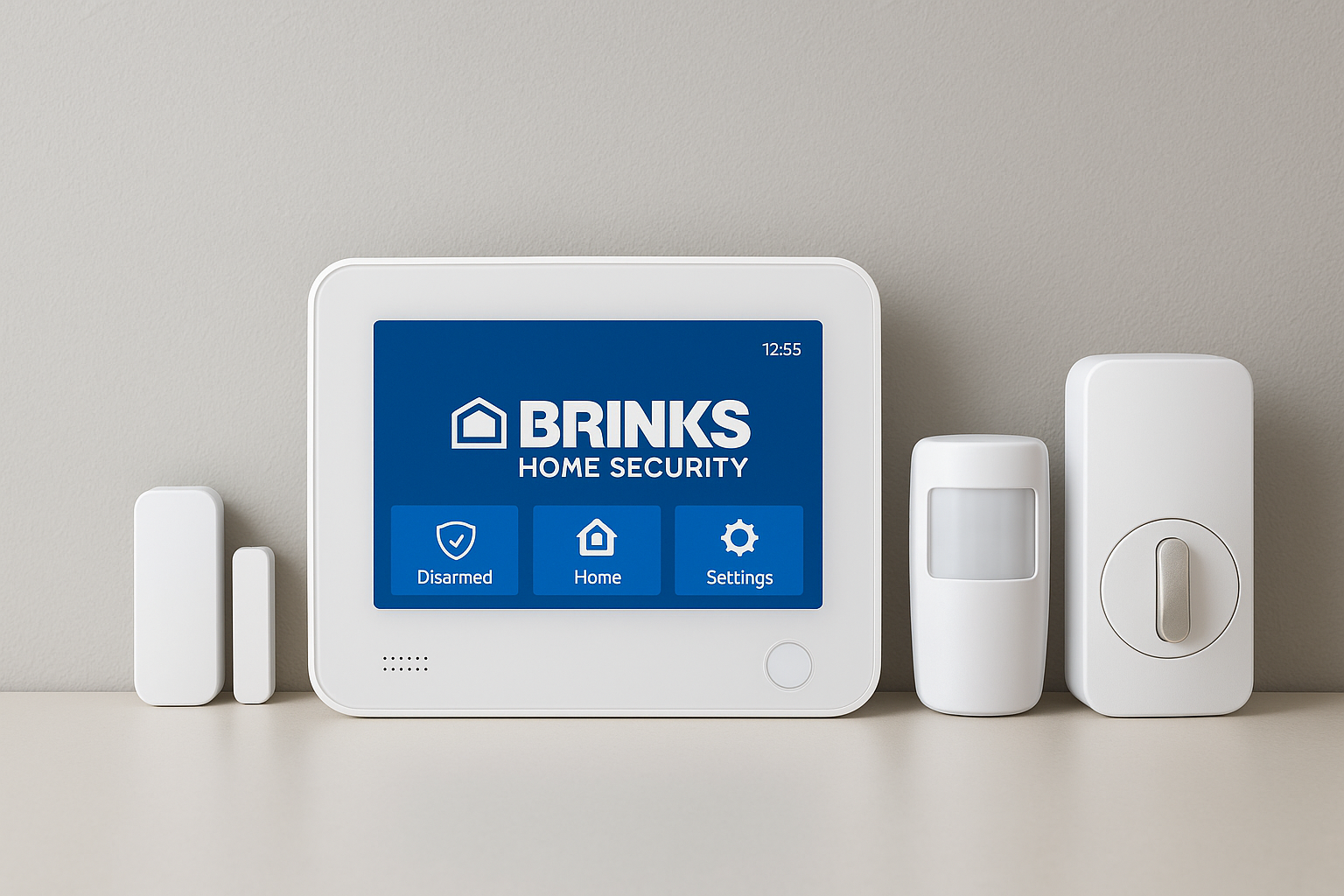
Main Parts Of A Smart Home Security System
- Security Cameras: They watch your home and send video to you.
- Motion Sensors: These detect movement inside or outside your home.
- Door and Window Sensors: They alert you if a door or window opens.
- Alarm Sirens: They make loud sounds when there is danger.
- Control Panel or App: This is where you control the system.
Credit: jnadealerprogram.com
Why Choose a Smart Security System?
Smart security systems have many good points. They let you watch your home from anywhere. You get alerts if something is wrong. They can scare away thieves with alarms. They also help you feel safer. Setting up one is easier than before.
Step 1: Plan Your Security System
First, look around your home. Think about where you need cameras and sensors. Common places are:
- Front door
- Back door
- Windows on the ground floor
- Garage or driveway
- Living room and main hall
Write down a list of places you want to protect. This will help you buy the right parts.
Step 2: Choose Your Equipment
Next, buy the parts you need. Here are some tips:
- Pick cameras with clear video quality.
- Choose sensors that work well with your system.
- Look for easy-to-install devices.
- Check if the system works with your phone or tablet.
Many smart security kits include most items you need. These kits are good for beginners.
Step 3: Prepare Your Home
Before installing, prepare your home. Make sure your Wi-Fi works well. The system needs internet to work. Place your router where the signal is strong. You may need to move or add a Wi-Fi extender.
Step 4: Install Cameras
Start with security cameras. Follow these steps:
- Pick high places to cover wide areas.
- Mount cameras near doors and windows.
- Use screws or mounts that come with your camera.
- Connect cameras to power or use batteries if available.
- Connect cameras to your Wi-Fi network.
Test the camera video on your phone to check the view.
Step 5: Install Sensors
Next, install door and window sensors:
- Clean the surface where you will place sensors.
- Attach the sensor on the door or window frame.
- Place the magnet part on the moving door or window.
- Make sure both parts are close when closed.
- Follow the instructions to connect sensors to the system.
Then install motion sensors in rooms:
- Put them in corners for best coverage.
- Mount at a height of about 7 feet.
- Avoid pointing at windows or heaters.

Credit: www.amazon.com
Step 6: Set Up the Control Panel or App
Most smart systems use a control panel or app. Here is how to set it up:
- Download the app on your phone or tablet.
- Create an account if needed.
- Follow the app steps to add cameras and sensors.
- Give each device a name to know where it is.
- Set your alerts and notifications.
This lets you control and watch your system from anywhere.
Step 7: Test Your System
After installation, test everything:
- Open doors and windows to check sensors.
- Walk in front of motion sensors.
- Check camera views and video quality.
- Make sure you get alerts on your phone.
- Test the alarm sound if your system has one.
Fix any problems before you rely on your system.
Step 8: Use Your System Regularly
Use your smart security system every day. Arm it when you leave home. Disarm it when you return. Check your cameras and alerts often. This helps keep your home safe all the time.
Extra Tips for a Stronger Smart Home Security
- Keep your Wi-Fi secure: Use a strong password.
- Update your system: Install software updates regularly.
- Use strong passwords: For your app and devices.
- Place cameras well: Cover all important areas.
- Inform family members: Teach them how to use the system.
Benefits of a Smart Home Security System
| Benefit | Explanation |
|---|---|
| Remote Monitoring | Watch your home anytime from your phone. |
| Instant Alerts | Get messages if sensors detect problems. |
| Easy Control | Turn system on or off with one click. |
| Scare Off Intruders | Alarms and lights can stop burglars. |
| Peace of Mind | Feel safe knowing your home is watched. |
Common Mistakes to Avoid
- Not testing the system after installation.
- Placing sensors too far apart.
- Ignoring Wi-Fi signal strength.
- Using weak or easy passwords.
- Forgetting to update the system.
Frequently Asked Questions
What Is A Smart Home Security System?
A smart home security system uses internet-connected devices to protect your home. It allows remote monitoring and control through apps.
How Do I Start Setting Up A Smart Security System?
Begin by choosing compatible devices like cameras and sensors. Follow the user manuals to connect and install each component.
Can I Install A Smart Security System Myself?
Yes, most systems are designed for easy self-installation. You just need basic tools and follow the step-by-step guides.
What Devices Are Essential For Smart Home Security?
Cameras, motion sensors, door/window sensors, and a smart hub are key devices. They work together to detect threats.
Conclusion
Setting up a smart home security system is simple. Plan well, choose the right parts, and follow the steps. Test your system and use it every day. This helps protect your home and family. With these easy steps, you can feel safer and more secure.
Start today and take control of your home safety.